NBI Clearance Online Appointment
NBI Clearance is an official document issued by the National Bureau of Investigation
(NBI) Philippines that certifies a person has no criminal record nationwide. Before going to any NBI Clearance Center
to claim your clearance, it’s very important to register and get an NBI appointment online.
It is commonly required for job applications, travel abroad, government transactions, and identity verification. With the NBI Clearance Online System, applicants can now NBI online register, set an appointment NBI, and pay online for a faster and more convenient process. It functions like a character certificate, serving as proof that you are a law-abiding and responsible citizen.
What the NBI Checks
- Criminal cases
- Pending warrants
- Court orders
- Fraud or scam-related records
- Online crime reports
- Similar name investigation (to verify identity)
- Past immigration violations
- Records from local police and the national law-enforcement database
Purpose of NBI-Clearance
It is commonly required for:
- Job applications (local and abroad)
- Visa processing
- Travel abroad
- Business requirements
- Government transactions
- Bank, school, or legal documents
An Clearance NBI confirms and proves that you are “clear”, authorized and have no criminal record
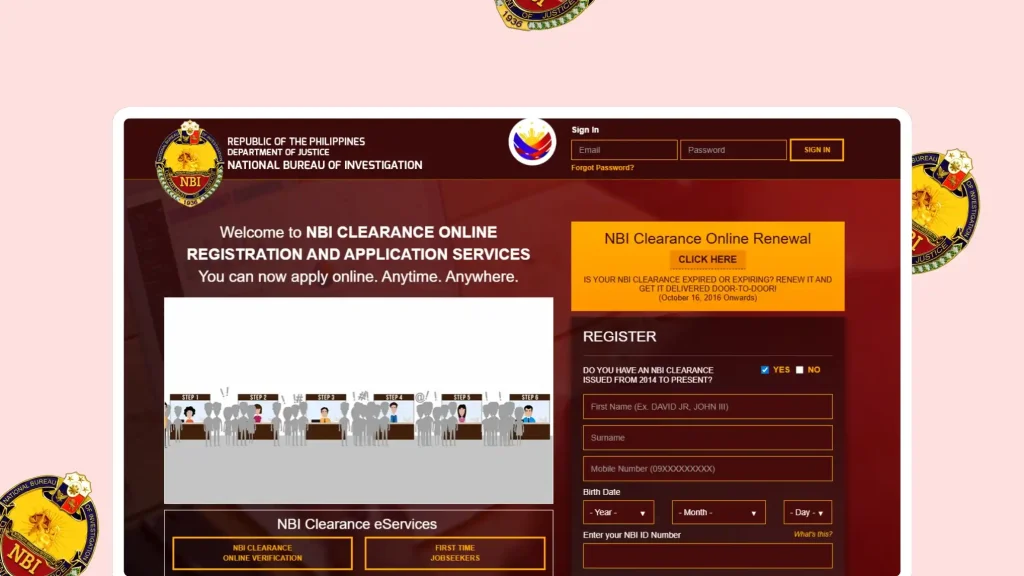
NBI Clearance Online Registration
1. Go to the Registration Portal
- Click on the button below, to access the NBI registration form.
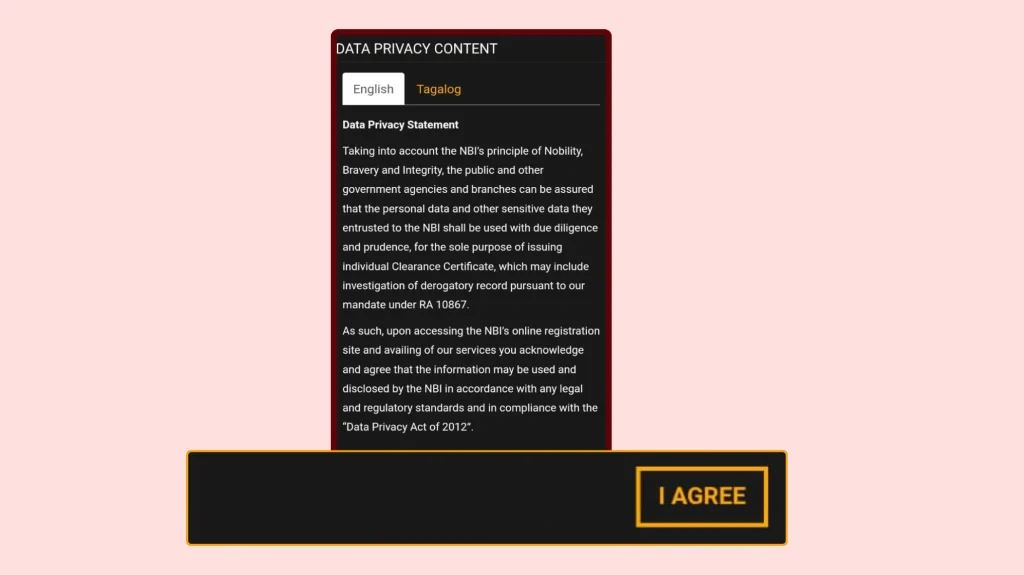
- A “Data Privacy Content” page will appear.
- You can read everything, and there is also a Filipino version.
- When you’re ready, click “I Agree.”
2. Close the Initial Pop-Up Notices
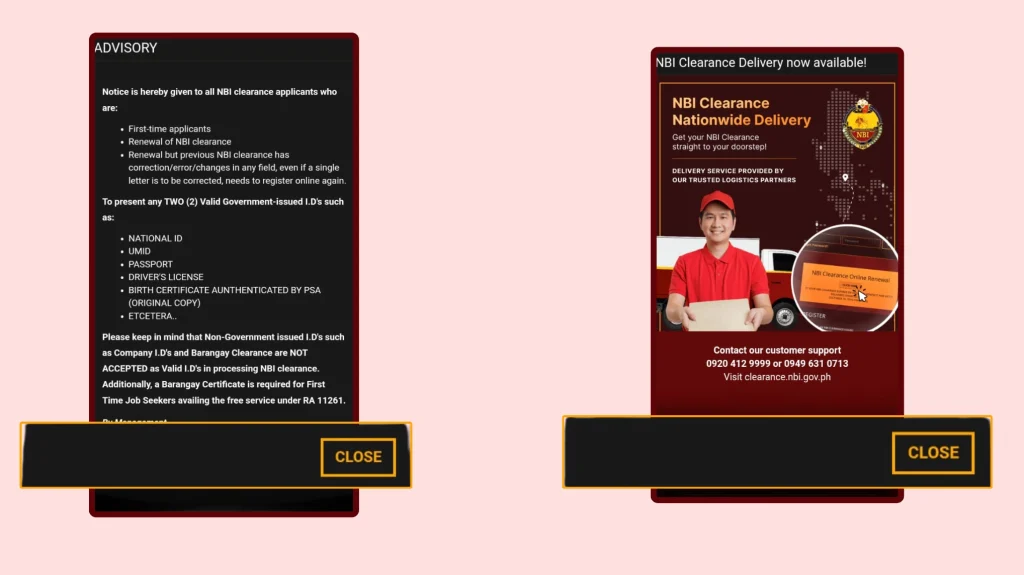
After clicking “I Agree,” two pop-ups may appear:
- First advisory: Click “Close.”
- Second advisory: Click “Close” again.
These pop-ups show information about valid IDs.
3. Create an Account (Registration)
You will now be on the NBI website homepage. This section is for creating a new account. If you already have an account and simply want to renew your Clearance NBI, visit the renewal link instead.
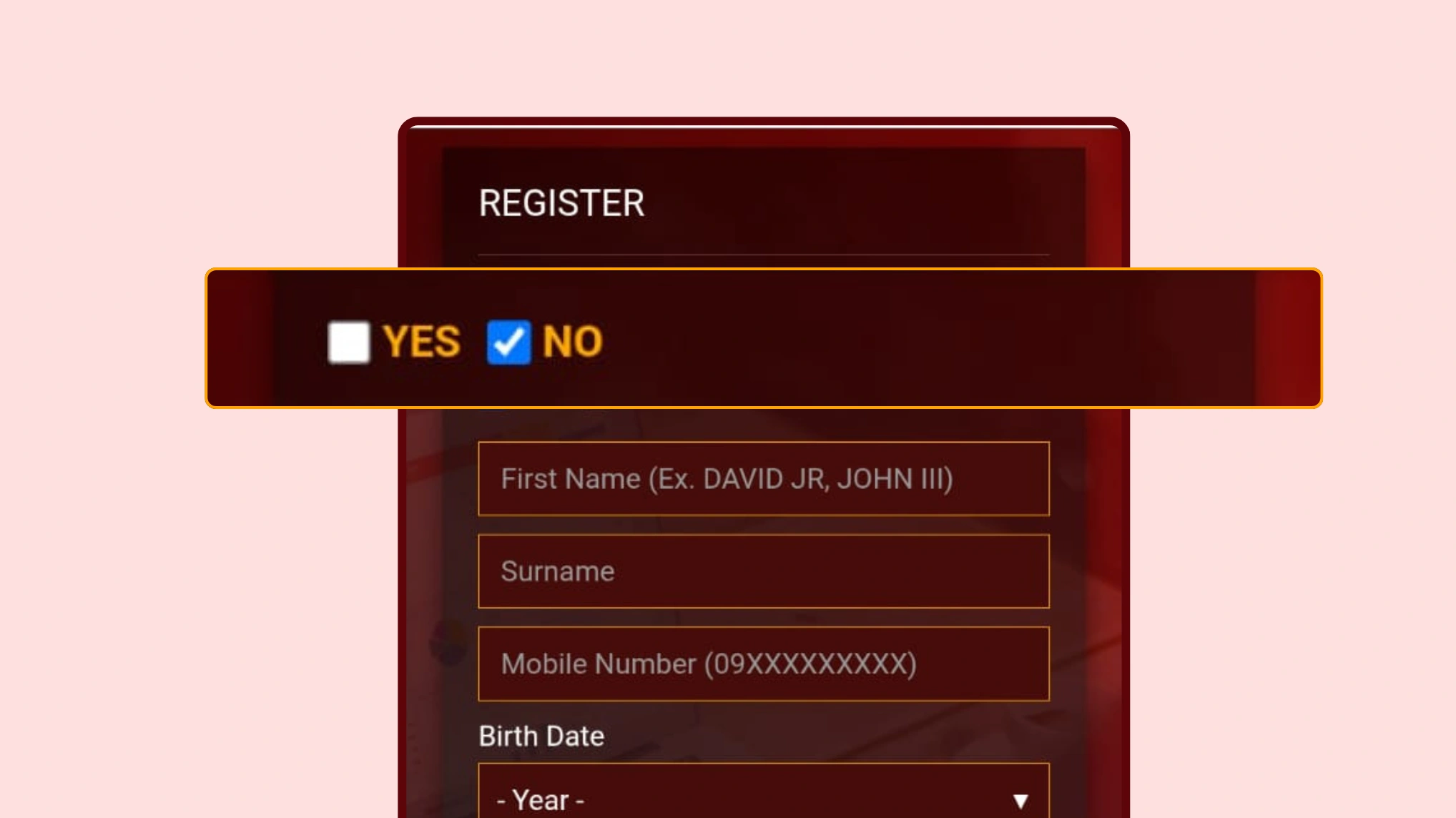
- Click “No” to continue with the registration process.
- Scroll down to the registration section.
- You will see the question:
“Do you have an NBI-Clearance issued from 2014 to present?”
4. Fill Out Personal Information (Registration Form)
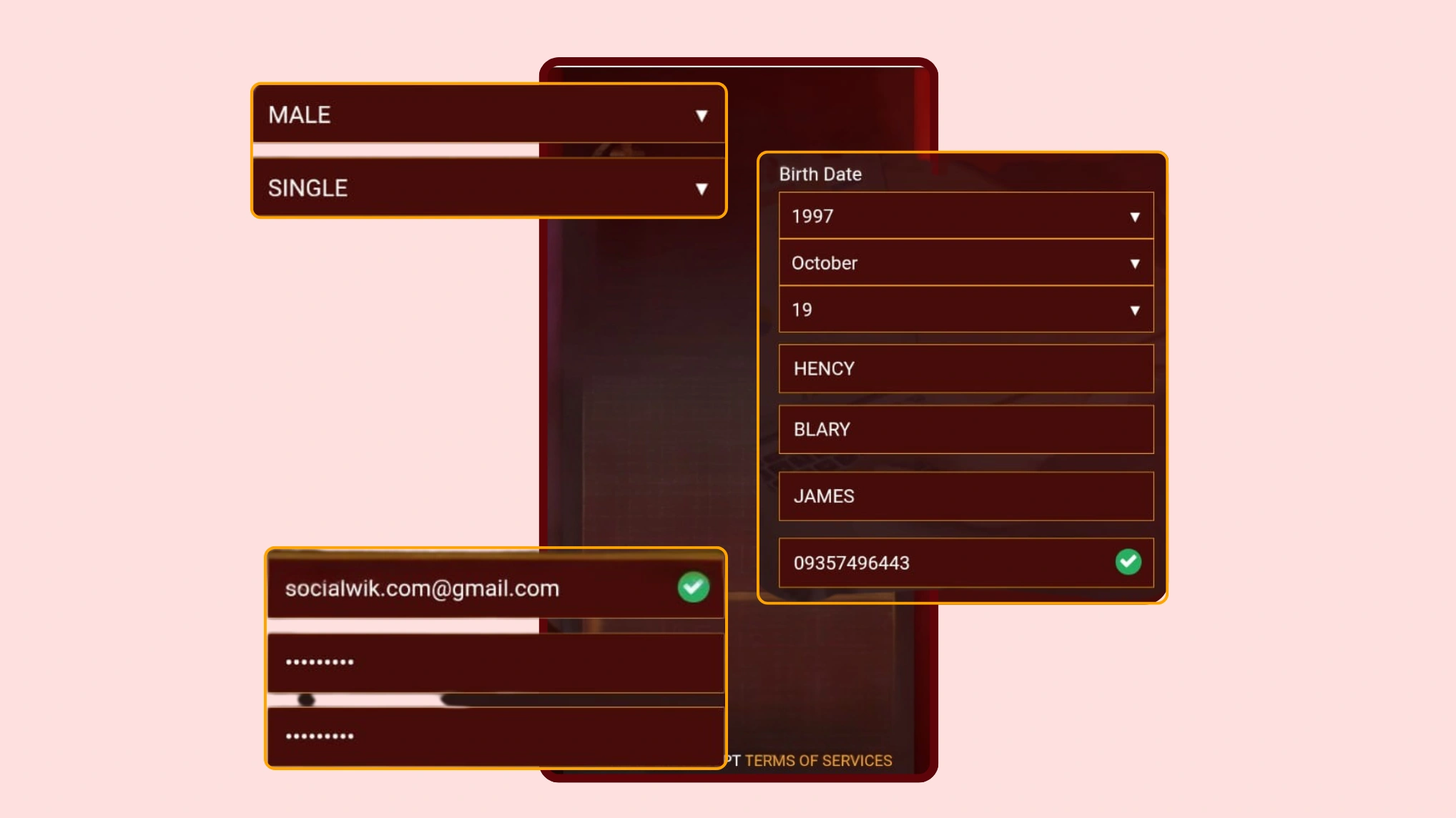
Fill in the following details correctly:
A. Personal Details
- Gender
- Civil status (Single, Married, Widowed, Annulled)
- Date of birth (Year → Month → Day)
B. Name Details
- First name
- Middle name
- Last name
- Make sure the spelling and order are correct.
C. Contact Information
- Mobile Number (must be active — needed for OTP)
- Email Address (active — needed for account activation)
- You must have access to both.
D. Password
- Create a password that you can easily remember.
- The Password must be at least 12 characters.
- Confirm the password.
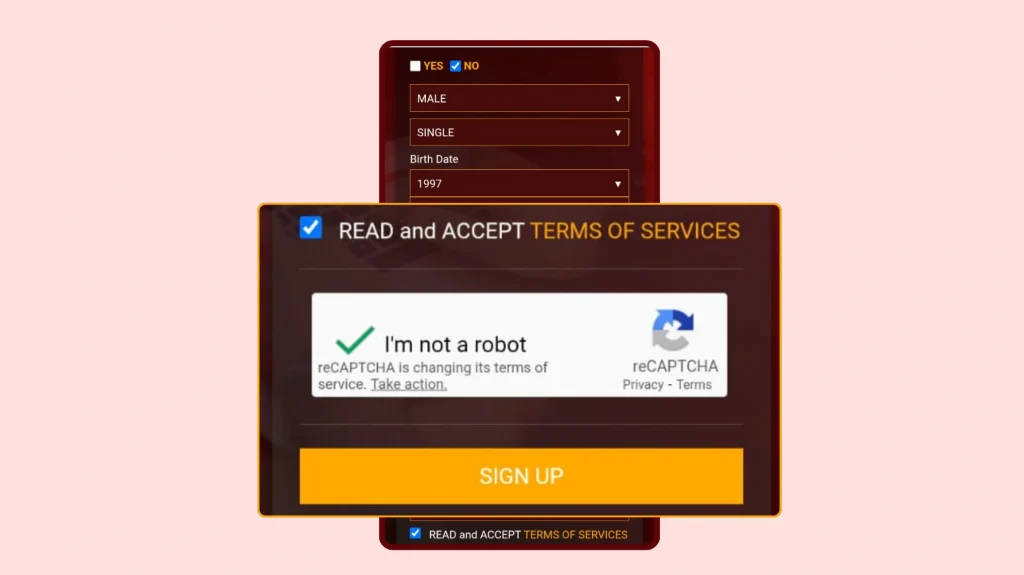
5. Agree to Terms and Verify CAPTCHA
- Tick the box next to “I accept the Terms of Service.”
- A pop-up will show the terms — read it and click “Agree.”
- Tick the “I am not a robot” CAPTCHA box.
- Click “Sign Up.”
6. Enter the OTP (One-Time Password)
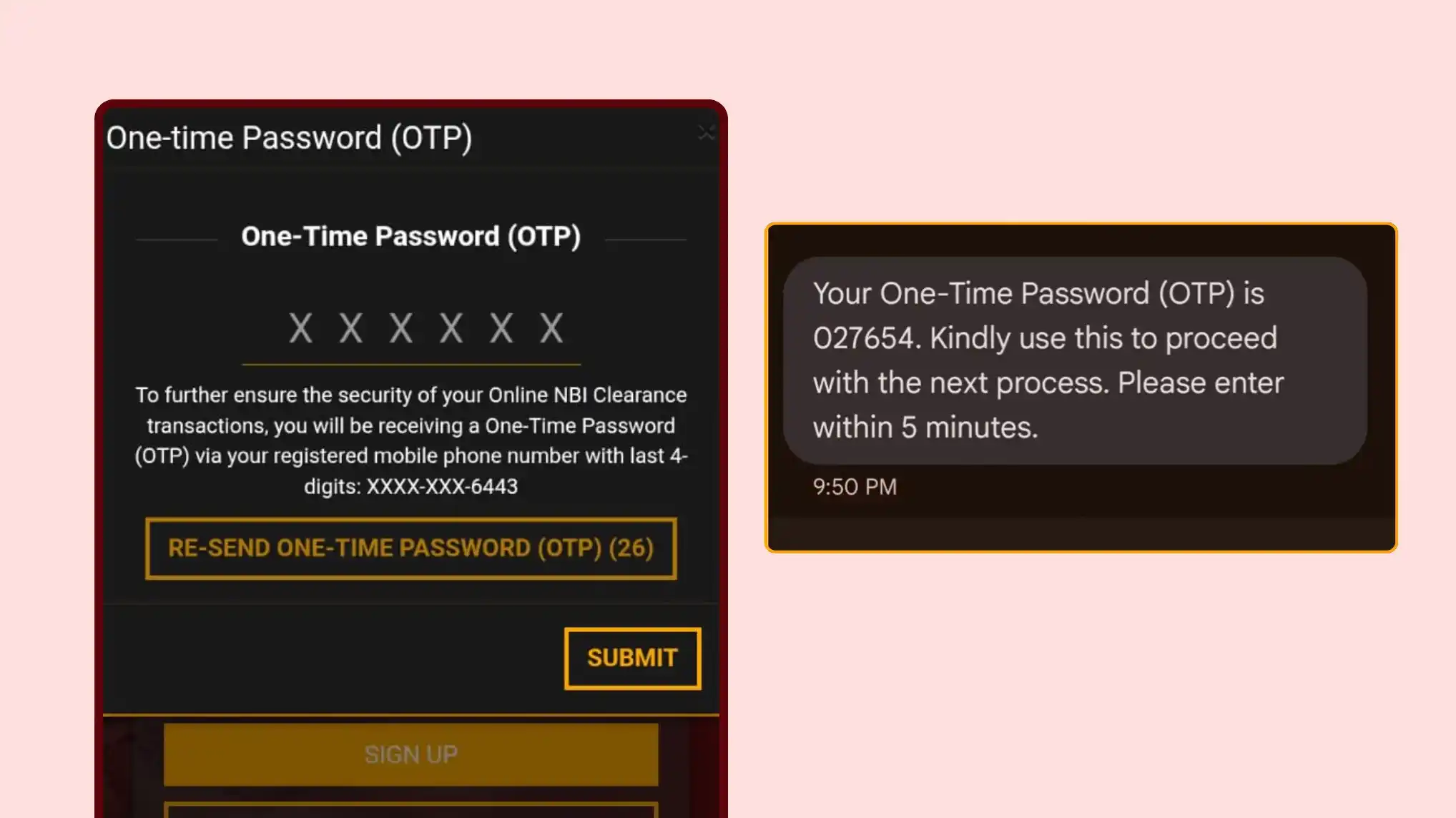
After clicking Sign Up:
- An OTP will be sent to the mobile number you entered.
- Check your text messages and enter the OTP in the box.
- If you didn’t receive the OTP, click “Resend OTP.”
- After entering the OTP, click “Submit.”
You will see: “OTP Verified Successfully.”
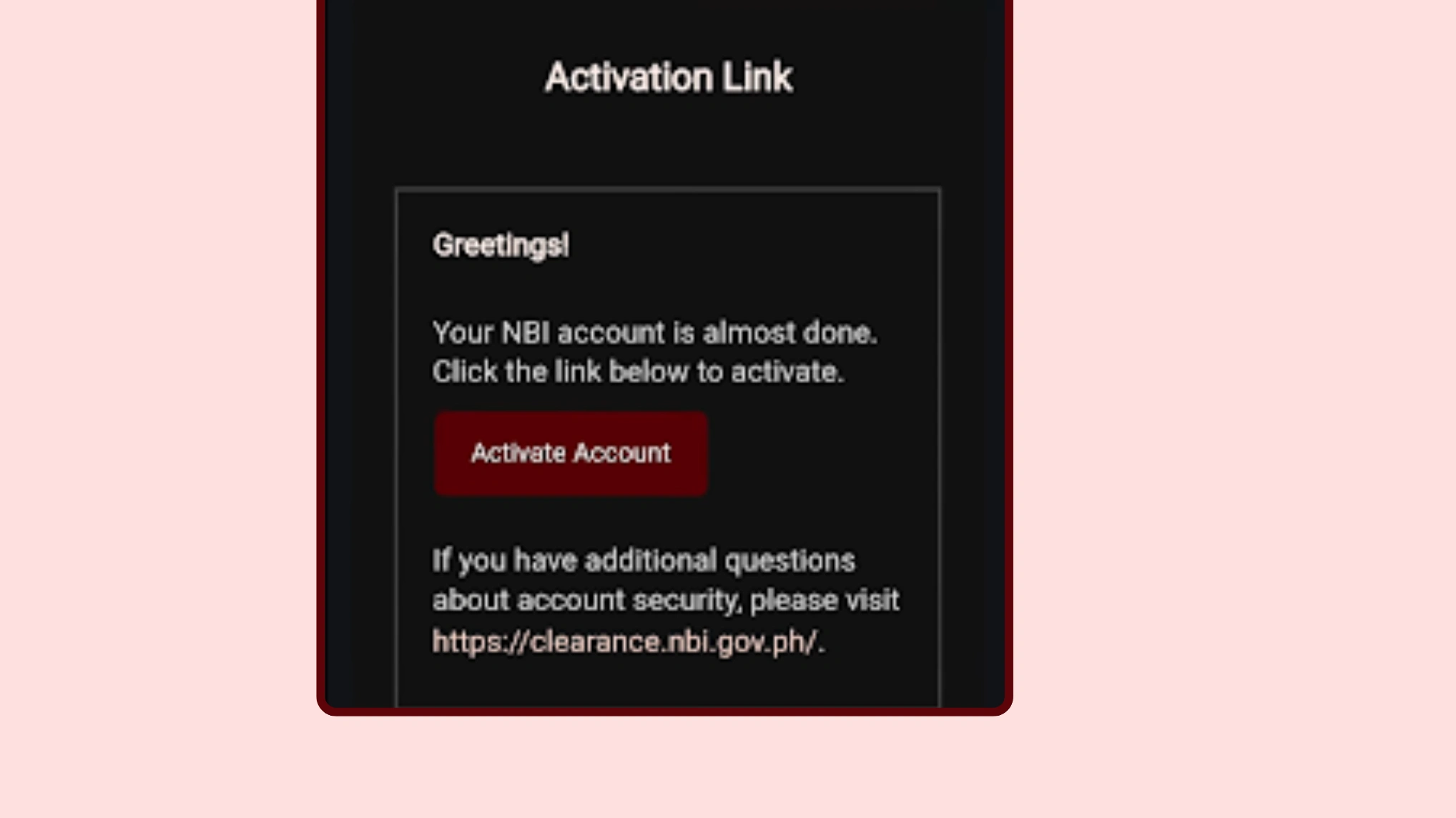
7. Activate Your Account via Email
After OTP verification:
- NBI will send an account activation link to your email.
- Open your email inbox.
- Look for the email from NBI.
- Click “Activate Account.”
A confirmation message will appear: “Your account is activated.”
8. Log In to Your NBI Account
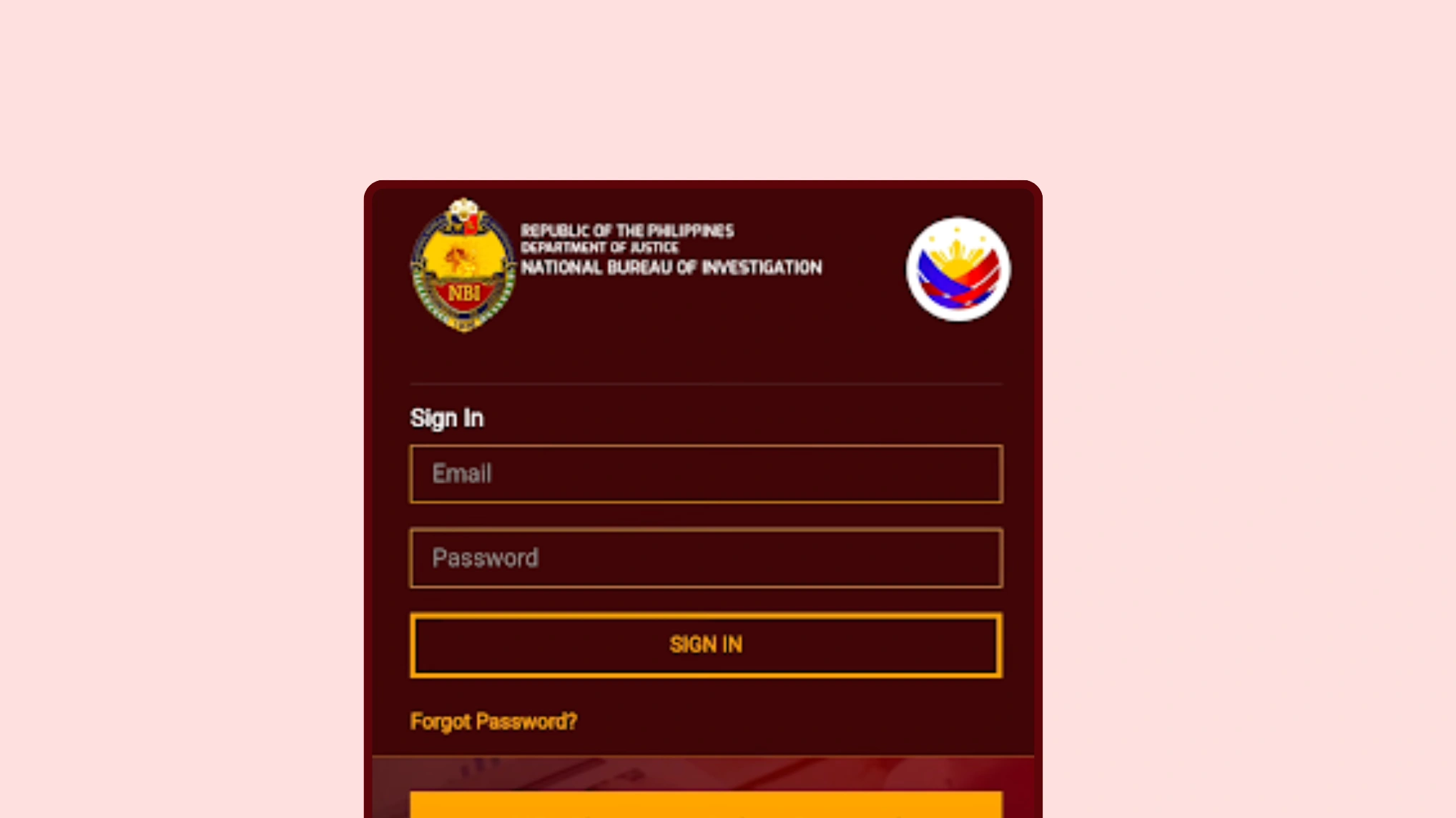
- Go back to the NBI website.
- Enter your registered email and password.
- Click “Sign In.”
You will now enter your NBI dashboard.
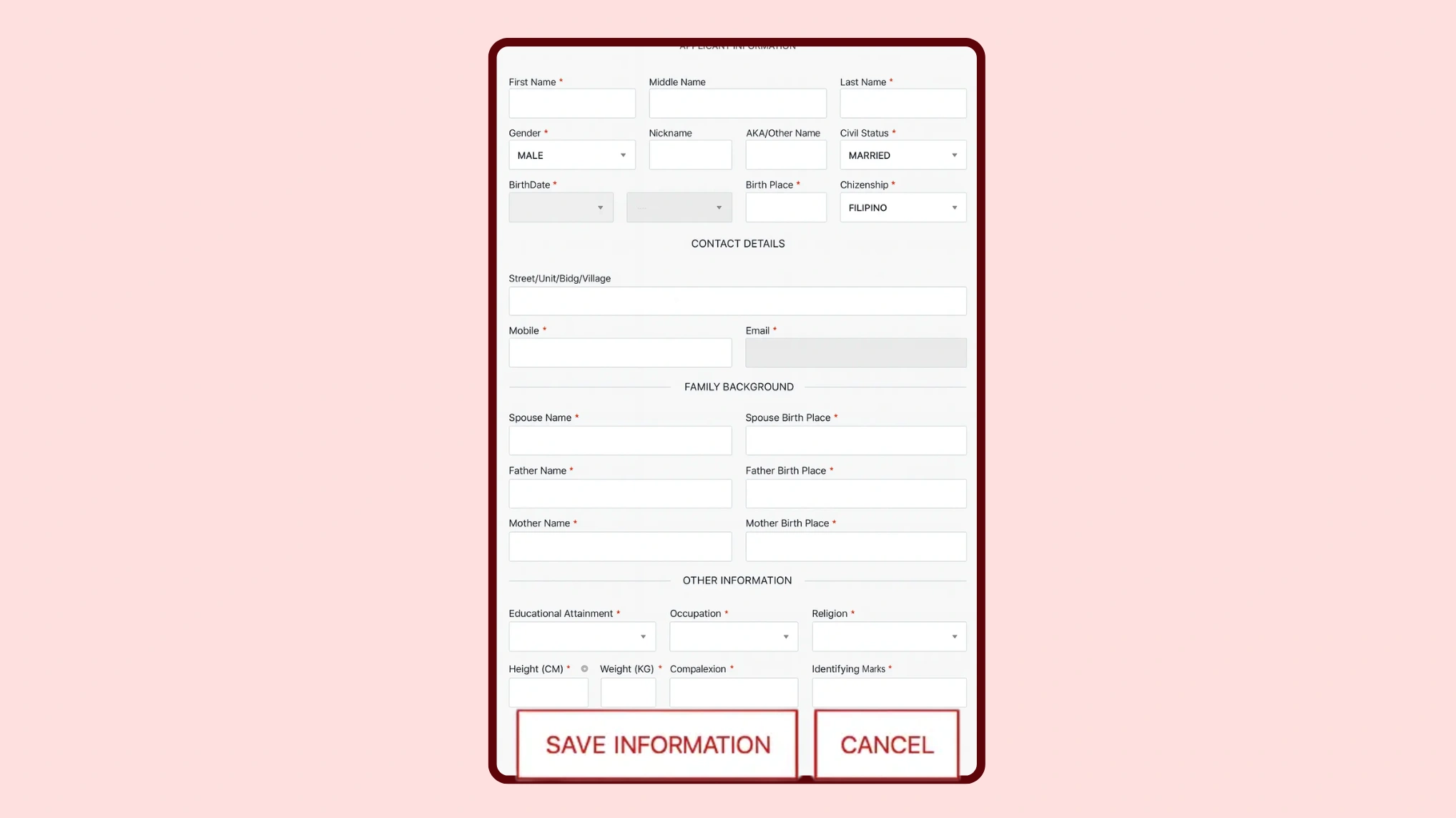
9. Complete Your NBI Profile Information
Some fields are automatically filled based on your NBI registration.
Important:
Fields in gray cannot be edited anymore, so make sure your information was correct earlier.
A. Address Details
- Birthplace
- Citizenship
- Street (optional)
- Building (optional)
- Barangay
- City / Municipality
- Province
- ZIP Code
Only fill in what applies to your address.
B. Family Background
Father’s Information:
- Father’s name
- Father’s birthplace
- If unknown, you may enter N/A.
Mother’s Information:
- Mother’s name
- Mother’s birthplace
C. Education and Occupation
- Select your educational attainment
- Enter your occupation
D. Additional Personal Details
- Religion
- Height (in centimeters)
- Weight (in kilograms)
- Complexion (skin tone)
- Identifying marks (moles, scars, etc.)
- Optional — leave blank if none.
After filling out all the details, click “Save Information.”
10. Save and Review Your Information
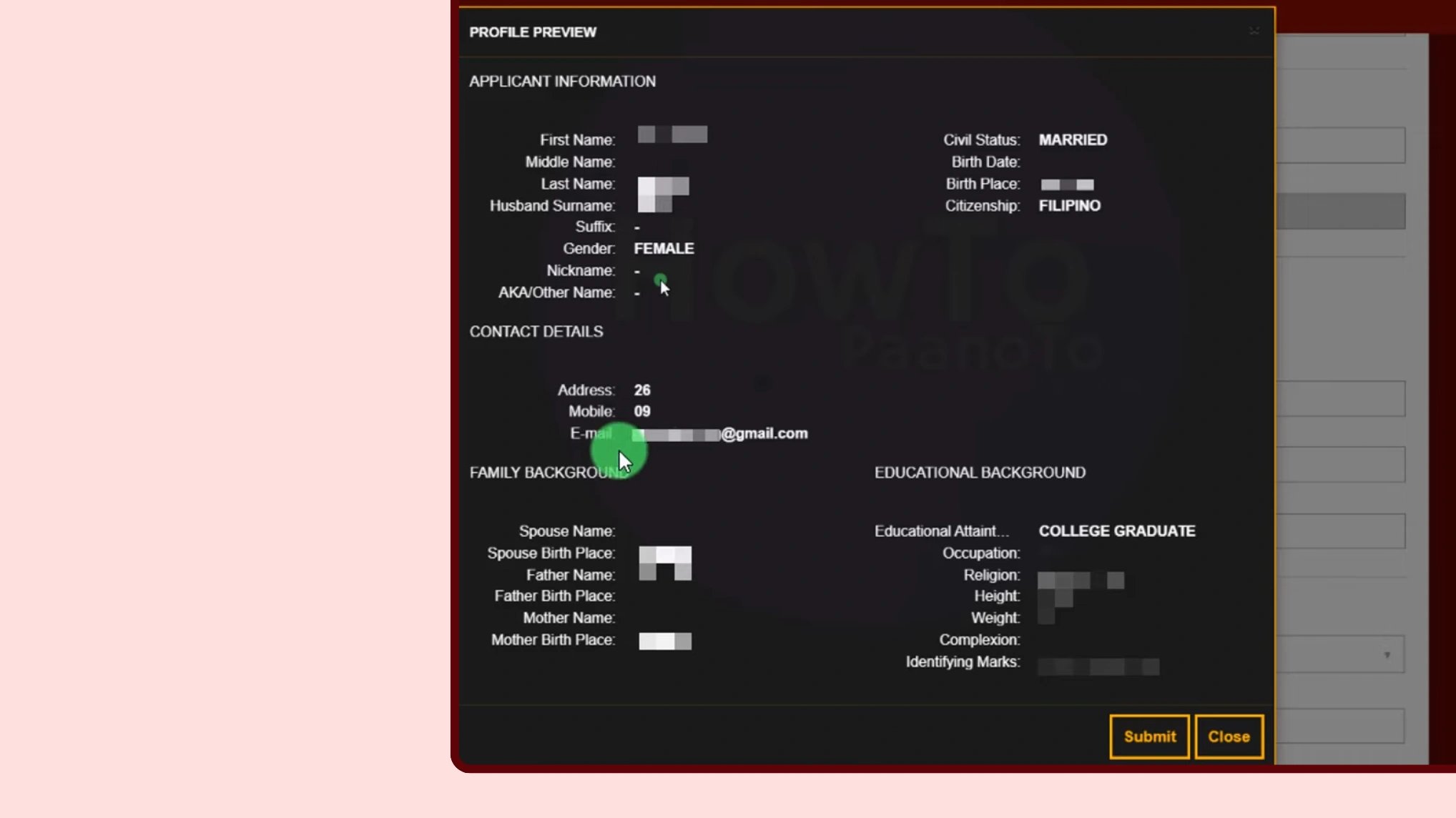
- A full summary of your details will appear.
- Review everything carefully & click “Submit.
You will see: “Profile Successfully Saved.” - Review everything carefully.
- Click Submit when all details are correct.
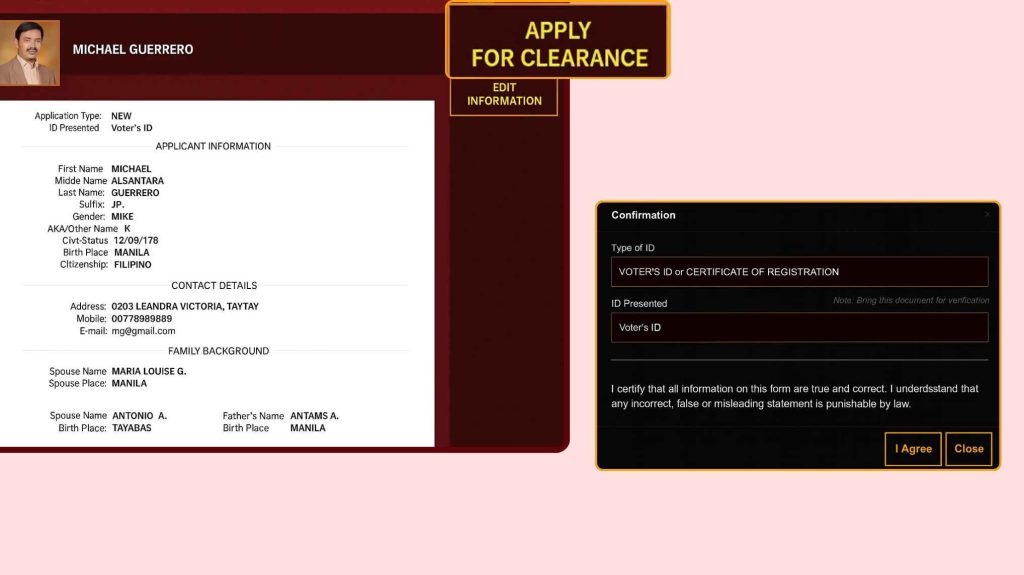
11. Apply for Clearance
- Scroll up and click “Apply for Clearance.”
- Select your valid ID (example: National ID).
- Enter your ID number and click “I Agree.”
Read the reminders and close the window.
12. Choose Your NBI Branch and Schedule
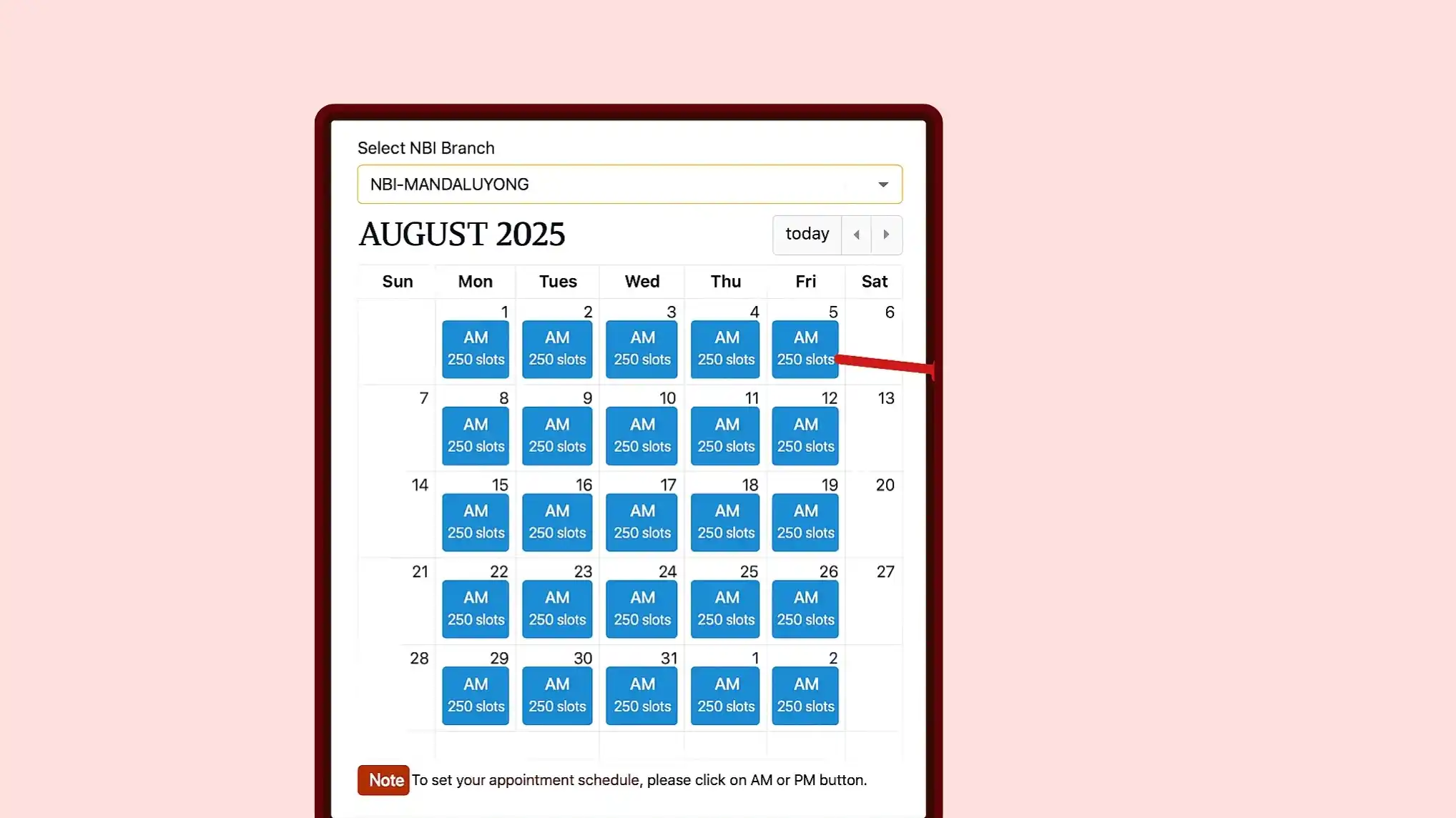
- Select the preferred NBI branch.
Example: Cebu – Central Mall Lapu-Lapu Branch. - Choose the date and time. (Example: August 12, PM slot with 26 available spots.)
Slot Color Legend:
- Blue Slot – AVAILABLE (you can book an appointment on the day)
Blank/White Slot – UNAVAILABLE (fully booked or no schedule, including weekends)
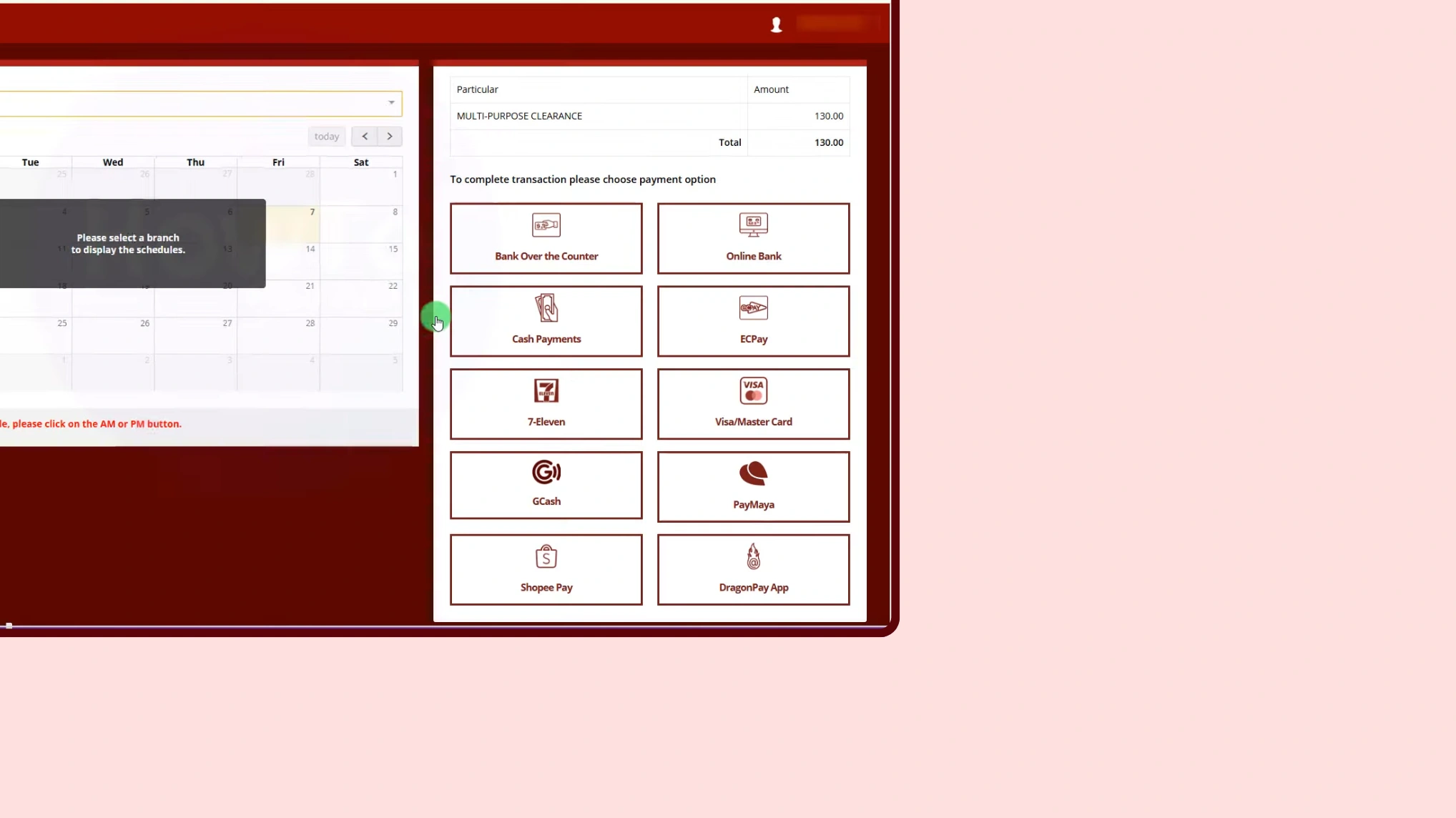
13. Choose Your Payment Method
Available payment options include:
- Bank Over-the-Counter
- Online Banking
- Cash Payment
- ECPay
- 7-Eleven
- Visa
- Mastercard
- GCash
- PayMaya
Select GCash, then click:
- Proceed
- Proceed to Payment
Your Reference Number & amount will appear.
This is what you will use for payment through GCash.
You will also receive your reference number via SMS and email.
14. Payment Status Changed
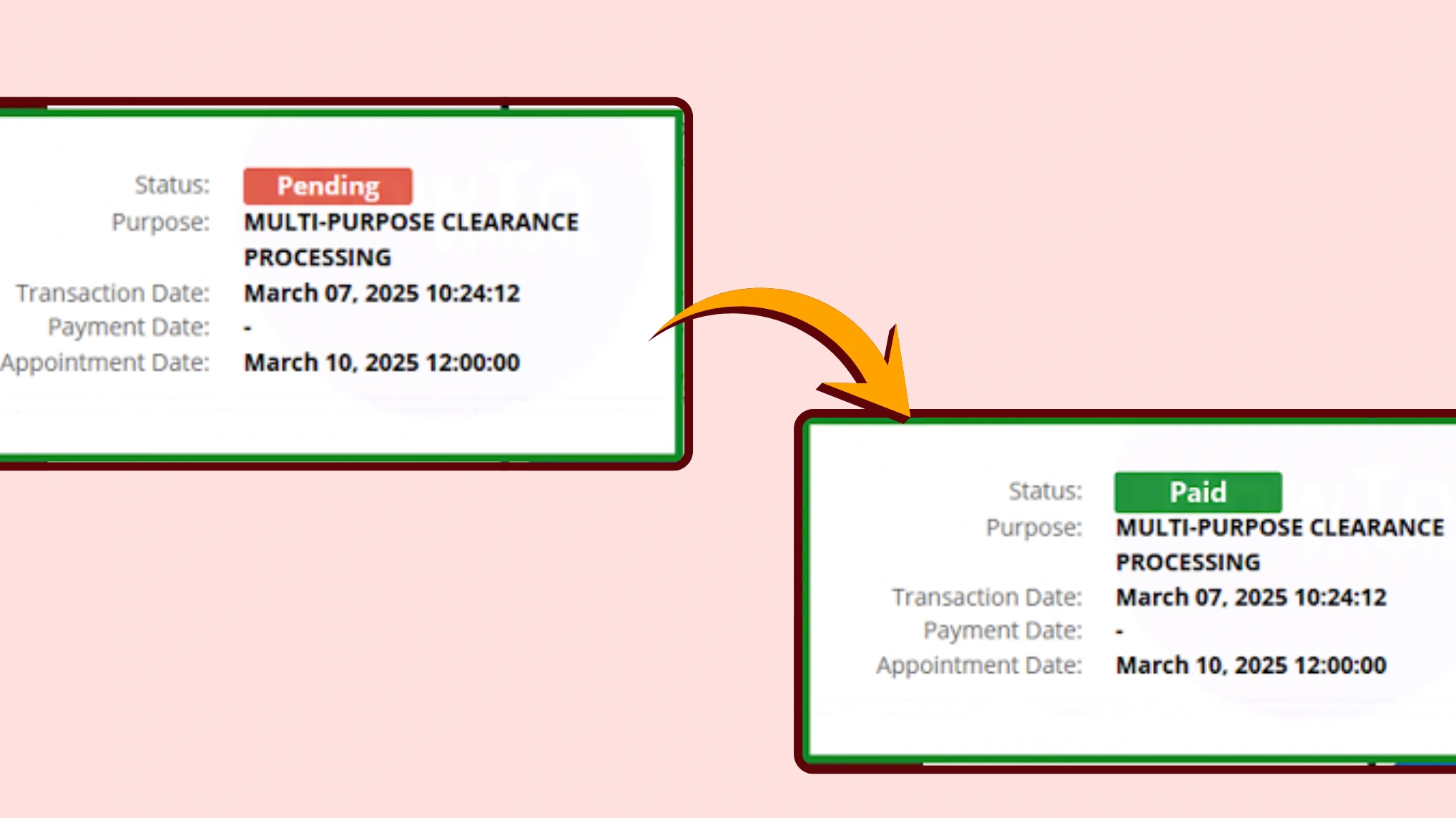
After a successful payment, your status will change from Pending to PAID.
Note: You will not need to pay anything at the NBI office, as the payment has already been completed online.
15: Visit the NBI Office
After completing registration and payment, go to your chosen NBI branch on your appointment date.
Bring the following:
- Your Reference Number
- Your Valid ID(s)
At the NBI Office:
- Provide your reference number to the NBI officer
- Fingerprint scanning
- Photograph capture (your picture on the clearance)
- Wait for your name to be called
If you have NO HIT, you will receive your (National Bureau of Investigation) Clearance the same day.
If you HAVE A HIT (someone with the same name has a record), you will be asked to return on the date they provide.
No additional payment is required at the NBI office because everything is paid online.
Note: Non-government issued IDs such as company IDs or a simple barangay clearance are not accepted for Clearance NBI.
NBI Clearance Requirements 2026
Below are the requirements you must have to apply for Clearance NBI and book an NBI appointment.
Acceptable IDs
You must bring any two (2) of the following when going to the NBI office:
- UMID / Unified Multi-Purpose ID
Issued by SSS or GSIS. - Philippine Passport
- PhilHealth ID
- Voter’s ID or Voter’s Certificate
- BIR / TIN ID
- PRC License
(Professional Regulation Commission ID) - Birth Certificate (PSA Certified)
Note: PSA only — NSO is no longer accepted. - Driver’s License (LTO)
- Pag-IBIG ID
Important: Pag-IBIG Loyalty Card Plus is NOT accepted. - Postal ID
- Certificate from the Local Civil Registrar
- Certificate from Malacañang
(For Indigenous Groups / Tribal Membership) - Foundling Identification / Certificate
- Solo Parent ID
- Company ID (Government Employees Only)
Private company IDs are not accepted. - School ID + Current Registration (for Students)
- Senior Citizen ID
- MARINA ID / Seafarer’s Identification
Required Payment Methods and Fees
You must have any of the following payment methods to pay the NBI-clearance fee online to book an appointment NBI.
NBI Online Appointment Fee: ₱130
Additional Service Fee: varies depending on the payment partner
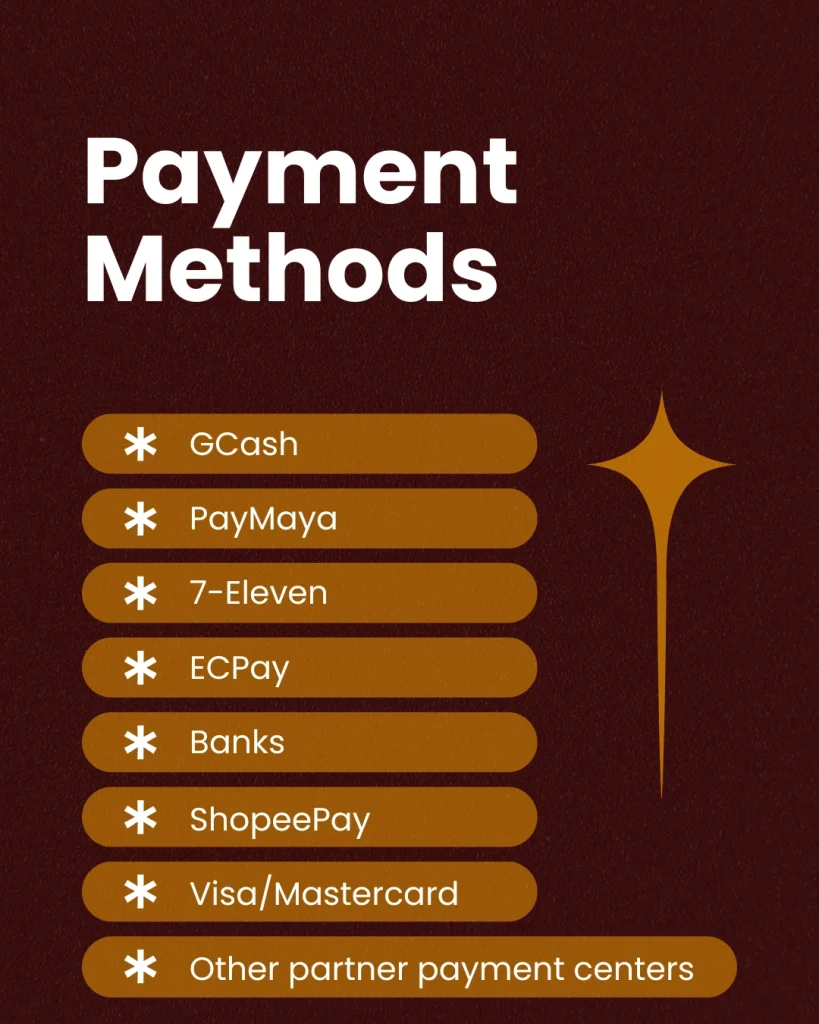
You can pay via:
- GCash
- PayMaya
- 7-Eleven
- ECPay
- Banks (online or over-the-counter)
- ShopeePay
- Visa/Mastercard
- Other partner payment centers
Important Note
- You must present two valid IDs when applying.
- All IDs must be original and not expired.
- Bringing a photocopy of your IDs is optional but recommended.
- Private company IDs are not allowed.
- Pag-IBIG Loyalty Card Plus is not valid for Clearance.
- PSA Birth Certificate is accepted; NSO is no longer issued.
- Students may use their school ID + current registration form.
- If your ID details do not match your NBI online application, NBI may require additional documents.
Related NBI Clearance Guides
Explore our complete collection of NBI Clearance resources to make your application process smooth and hassle-free.

Need Help?
If you need any help or are facing issues while registering for Clearance NBI or booking an appointment, feel free to contact NBI Online Appointment Support:
📞 0920-412-9999
📞 0949-631-0713